Part 2: Setting Up TypeScript for SuiteCloud: A Practical Engineering Guide
Most NetSuite development teams know they should be using TypeScript, but getting from "we should do this" to "this actually works in our deployment pipeline" involves more than just installing a few packages.
This guide walks through the practical setup decisions we make when building SuiteCloud projects with TypeScript—the folder structures, configuration choices, and build workflows that make the difference between a TypeScript project that helps your team and one that becomes another maintenance burden.
Why This Setup Matters
The goal isn't TypeScript for its own sake. We're setting up a development environment where:
- Engineers write code with type safety and modern tooling
- NetSuite receives properly compiled JavaScript
- Your deployment process stays predictable
- No one accidentally edits generated files in FileCabinet
Think of this as creating clear boundaries:
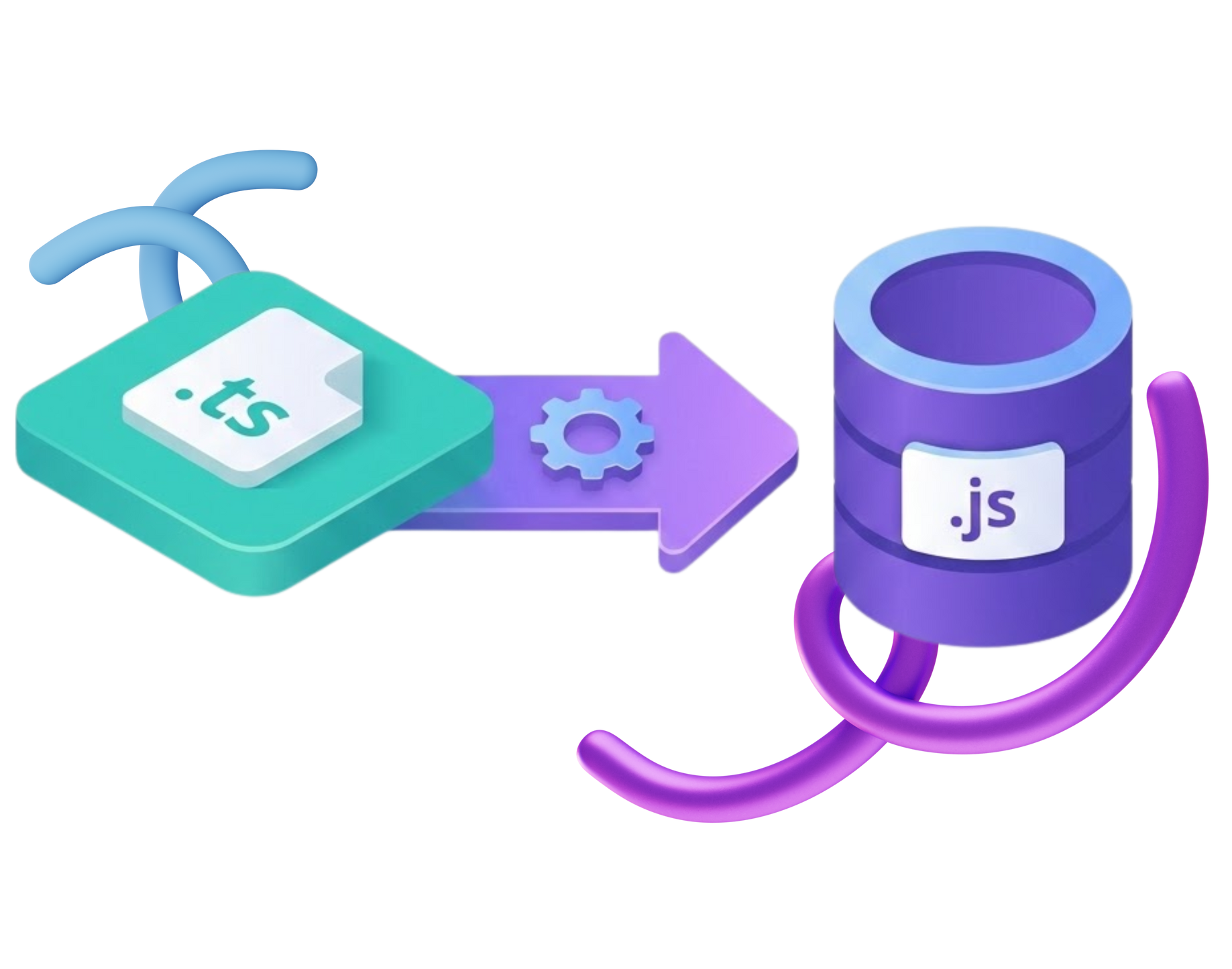
.ts files are for development, .js
files are what NetSuite runs. Everything else follows from that principle.
How We Set It Up (Jona Style)
1. The Project Structure
Here's the folder organization we use for SuiteCloud projects:
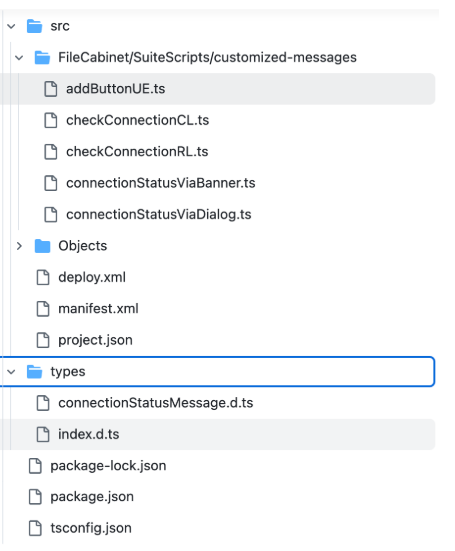
This structure keeps source code separate from compiled output. Your TypeScript files live in src/, compilation targets ts-output/, and you deploy from there.
2. Installation and Dependencies
Start with the essential packages:
npm init -y
npm install --save-dev typescript @hitc/netsuite-types jest ts-jest
npx tsc --init
What each package does:
| Package | Purpose |
|---|---|
| typescript | Core TypeScript compiler |
| @hitc/netsuite-types | Type definitions for NetSuite APIs |
| jest + ts-jest | Testing framework with TypeScript support |
3. TypeScript Configuration
Your tsconfig.json determines how TypeScript compiles for NetSuite. Here's a working configuration:
{
"compilerOptions": {
"module": "AMD",
"target": "ESNext",
"moduleResolution":"node",
"sourceMap": false,
"newLine": "LF",
"experimentalDecorators": true,
"baseUrl": ".",
"lib": ["es2015", "es2015.promise", "dom"],
"paths": {
"N": ["node_modules/@hitc/netsuite-types/N"],
"N/*": ["node_modules/@hitc/netsuite-types/N/*"]
}
},
"exclude": ["node_modules"],
"compilerOptions": {
"allowJs": true,
"outDir": "ts-output",
"rootDir": "./src"
}
}
Engineer notes:
- Target ES5: NetSuite's JavaScript engine (Rhino) doesn't support modern JavaScript features. Targeting ES5 prevents runtime errors from unsupported syntax—accidentally using ES2017 features will result in errors like "Unexpected keyword 'const'".
- Output Directory: Setting outDir to ts-output determines where your compiled files land and keeps them separate from your source code, making version control cleaner.
4. Writing Your First TypeScript Script
Here's a UserEvent script with proper TypeScript annotations:
/**
* @NApiVersion 2.1
* @NScriptType UserEventScript
* @NModuleScope SameAccount
*/
import {EntryPoints} from
"N/types";
import * as runtime from "N/runtime";
export const beforeLoad: EntryPoints.UserEvent.beforeLoad = (scriptContext) => {
const {form} = scriptContext;
const currentScript = runtime.getCurrentScript();
const useBannerForMessage = currentScript.getParameter({
name: "custscript_use_banner"
});
form.clientScriptModulePath =
"./checkConnectionCL";
form.addButton({
id: "custpage_check_connection",
label: "Check Connection",
functionName: `checkConnection(${useBannerForMessage})`
});
};
When you run
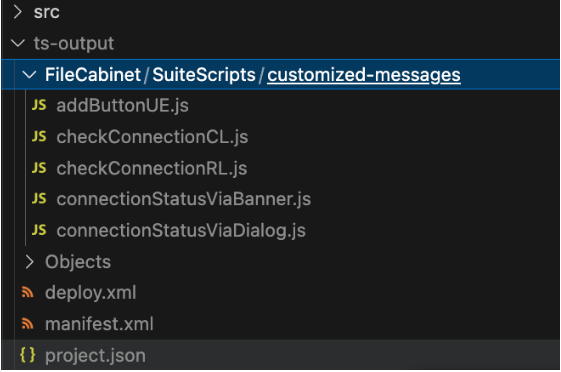
npm run build, this compiles to JavaScript in your
ts-output directory, ready for deployment to NetSuite.
5. Build and Deployment Scripts
Set up npm scripts to handle compilation and deployment:
{
"name": "customized-messages",
"version": "1.0.0",
"main": "index.js",
"scripts": {
"build-and-deploy": "npm run build && npm run deploy",
"build": "npm run delete-ts-output && npm run copy-to-ts-output && npm run delete-ts-files && npx tsc",
"deploy": "cd ts-output && suitecloud project:deploy && cd ..",
"delete-ts-output": "rm -rf ts-output",
"copy-to-ts-output": "cp -r src ts-output",
"delete-ts-files": "rm -rf ts-output/FileCabinet",
"test": "echo \"Error: no test specified\" && exit 1"
},
"author": "",
"license": "ISC",
"description": ""
}
What each script does:
| Script | Purpose |
|---|---|
| npm run build | Compiles TypeScript once |
| npm run test | Runs your Jest tests |
| npm run build-and-deploy | Build and SDF deploy (if you're using SDF CLI) |
5.
Version Control Considerations
Commit these files:
✅ src/ directory with TypeScript source
✅ FileCabinet/
✅ tsconfig.json
✅ SuiteApp/SDF configuration files
✅ Test files
Ignore these:
❌ node_modules/
❌ ts-output/ (your build process generates this)
❌ .DS_Store and other system files
This prevents your repository from tracking generated JavaScript, which would create unnecessary merge conflicts.

Making It Work for Your Team
The setup described here gives your engineers a modern workflow:
- Type safety and cleaner modular code
- Safer refactors with compile-time checks
- Predictable deployments to NetSuite
- A project structure you're proud to show during onboarding
Start with this foundation, then adjust based on your team's specific needs. Some teams add linting rules, others integrate with their specific deployment pipelines. The core principle remains: maintain clear separation between source code and compiled output.
This is Part 2 in our TypeScript for NetSuite series. Part 1 explored why TypeScript matters for SuiteCloud development. Want to see how we use these patterns with Clean Architecture in production projects? Stay tuned for Part 3.
Need help implementing TypeScript in your NetSuite environment?
Let's talk about your development workflow.

Meet the Author
Jona has over a decade of experience in SuiteCloud Development on the NetSuite platform. She specializes in implementing advanced solutions and has led teams in creating high-quality software. Jona holds multiple certifications and has been recognized with awards like the Summit Award and Quality Champion Award.
Tags
Accelerate ERP Success with Expert Solutions
Ready to put what you've learned into practice? ATSOURCE delivers both the specialized talent and comprehensive NetSuite support you need to turn strategy into results.Connect with our experts today and move from planning to performance.